Match the new logo on day one
Rebranding the website and the business cards is easy; the CRM usually lags months behind. Change the brand colour once and every screen follows on the next page load.
Drop your details below to unlock your discount on the Mortgage Snapshot.
Themes · UI kits · dark mode
A GoHighLevel white label theme replaces the stock look of the whole app with yours: 27 complete themes, 11 UI kits and a dark mode switch, all edited in a live preview. Your loan officers stop working in “some CRM” and start working in your firm’s system.
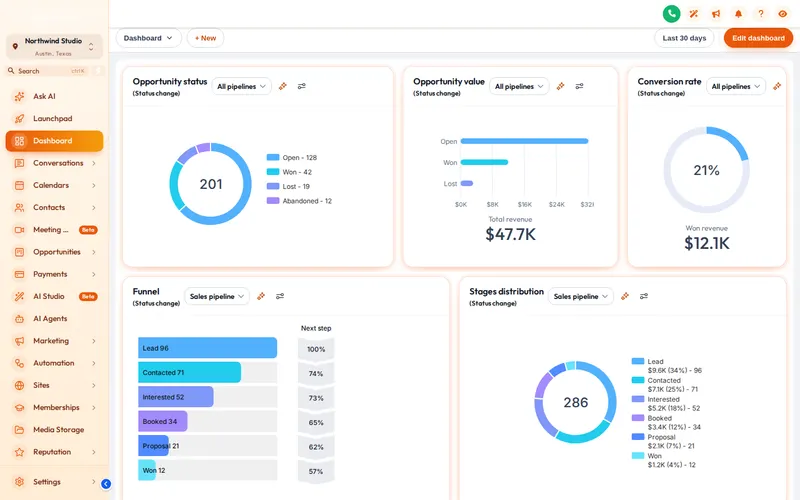
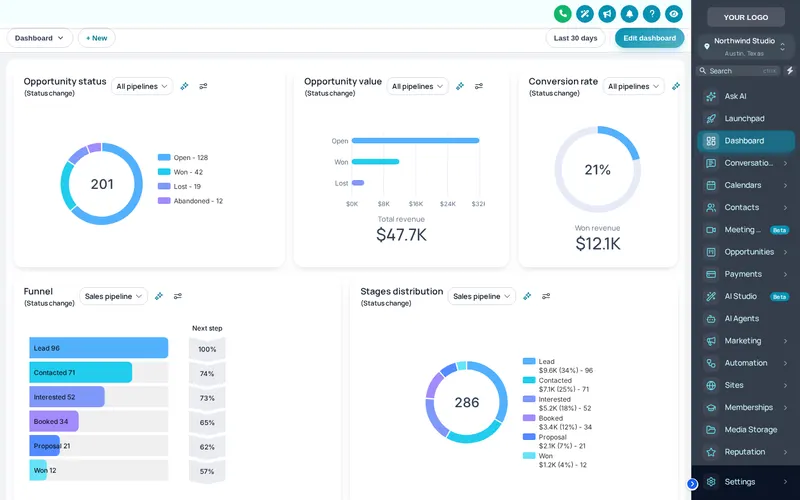
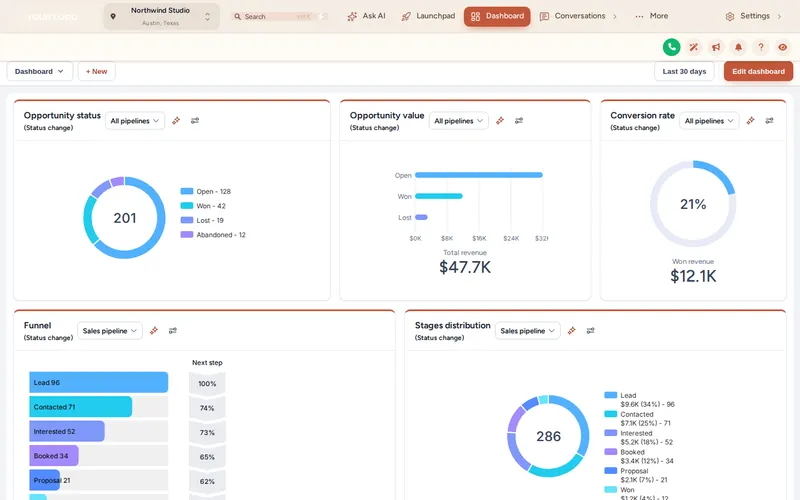
A GHL theme sets the sidebar, header, page background, fonts, corner radius, UI kit and matching login page in one choice. On top of that, a colour remap swaps GoHighLevel’s hard-coded blue for your brand colour, so buttons, links and highlights all match. Your data and workflows are untouched.
Included in every package, from Pre-Approved
We pre-picked 12 themes that suit lenders (warm, banking blue, navy and gold). Switch to “All 27 themes” for the rest, then pair any of the 11 kits and flip dark mode on.
Loading the live preview
Golden Hour. The customizer’s own engine is restyling a copy of the GoHighLevel dashboard. Click the menu, collapse it, or open the Save contact window inside the frame.
Borrowers never see the inside of your CRM, but your team does, all day. When the tool looks generic, it feels temporary. A theme makes it feel like the firm’s system, which is half the battle in getting LOs to actually log their calls.
A theme is the frame; a UI kit is everything inside it. Kits restyle cards, buttons, inputs, tables, tabs and modals in one click, and any kit works with any theme.
Soft Shadow, Bordered Flat, Elevated, Glass, Accent Top, Side Accent, Brutalist, Studio Gradient, Halo Glow, Crisp Highlight, Rounded Pill.
Plus a dark mode switch on the light ones.
GoHighLevel’s stock blues are replaced everywhere they are hard-coded, so nothing gives the game away.
A Google font, how round the corners are and how deep the shadows go: the details that make it feel designed.
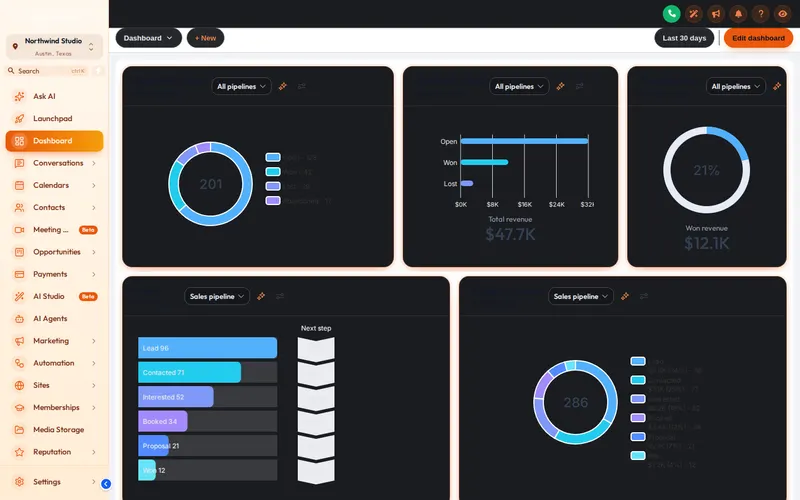
Rebranding the website and the business cards is easy; the CRM usually lags months behind. Change the brand colour once and every screen follows on the next page load.
Loan officers work evenings around borrowers’ schedules. A dark theme or the dark mode switch is easier on the eyes when you are clearing conditions after hours.
Give each brokerage you serve its own theme in its own workspace, so their team logs in to something that looks like them, not like your other clients.
After the one-time install line is in place, applying or changing a theme never needs code again.
Open the Theme tab and choose one of 27 themes. The preview shows it on a sample sub-account straight away.
Add your logo, brand colour and font, pick a UI kit and decide whether the team gets a dark mode switch.
Every sub-account on your install line picks up the new look on its next page load. No re-pasting code.
GHL Customizer is an independent product sold by Mortgage Snapshot. It is not affiliated with, endorsed by or sponsored by HighLevel Inc.; GoHighLevel and HighLevel are trademarks of their owner. Previews on this page run on copies of GoHighLevel screens with sample data. Mortgage Snapshot is not a lender and nothing here is lending advice.
It is a complete visual identity for the GoHighLevel app: sidebar, header, page background, fonts, corner radius, buttons, cards and a matching login page, so the software your team and clients use looks like your firm instead of stock GoHighLevel.
27, of which 3 are dark. 5 of them put the menu in a top bar instead of a sidebar. Every theme is a starting point you can change completely.
A UI kit restyles the parts inside the pages: cards, buttons, inputs, tables, tabs and modals. There are 11, from soft shadows and bordered flat to glass, brutalist and halo glow, and you can pair any kit with any theme.
The dark mode switch gives surfaces, borders and text a dark palette across the GoHighLevel pages the customizer styles, which is most of the app. Some third-party embeds inside GoHighLevel keep their own colours.
That is what the colour remap is for. GoHighLevel hard-codes its blues in many places, and the remap swaps them for your brand colour so the stock colour does not peek through on buttons, links and highlights.
Yes, with separate workspaces. Each workspace has its own design and install line, and your package sets how many you get: 1 on Pre-Approved, 2 on Rate Lock, 3 on Closing Day.
It adds an eye button that blurs contact names, emails and phone numbers on screen. It is handy when you share your screen with a realtor partner or on a team call and do not want borrower details on display.
Yes. Saved versions let you roll a design back: 5 versions on Pre-Approved and 10 on the higher packages.
All of them. It comes with every package, starting at Pre-Approved ($257).
The theme is delivered as a small stylesheet and script loaded by the one install line, and it is cached by the browser after the first visit. Pages load as they did before, with your styling on top.
Every theme, kit and login design comes with Pre-Approved, the first package. Login emailed within minutes (max 24 hours).
Secure Stripe checkout Login emailed within minutes (max 24 hours)
Manage how we use cookies. Necessary cookies keep the site working and can't be turned off.
Saved on this device. Press Esc to close.