16 animated designs
GHL login page design that opens like a closing table
The sign-in screen is the first thing your loan officers see every morning. GHL login page design swaps the plain white form for one of 16 animated designs, and keeps the two-factor and password reset screens in the same style.
Can you customize the GoHighLevel login page?
Yes, with CSS. GoHighLevel does not run custom scripts before someone signs in, which is why most white-label login pages stay stock. The customizer ships the login design as a single CSS import, which GoHighLevel does load on the sign-in page, so the design shows before anyone logs in.
Included in every package, from Pre-Approved
Every GoHighLevel custom login page, on every screen
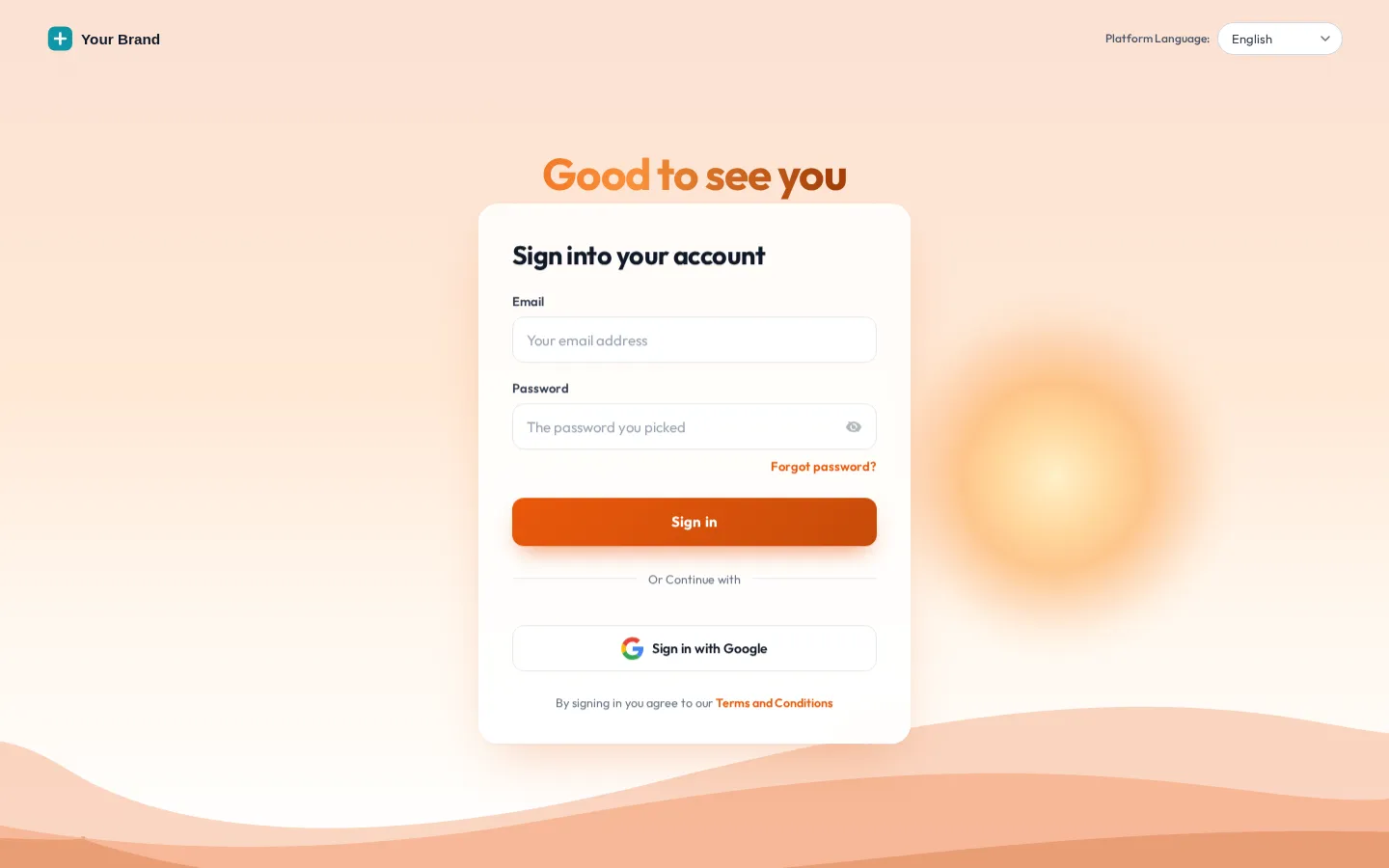
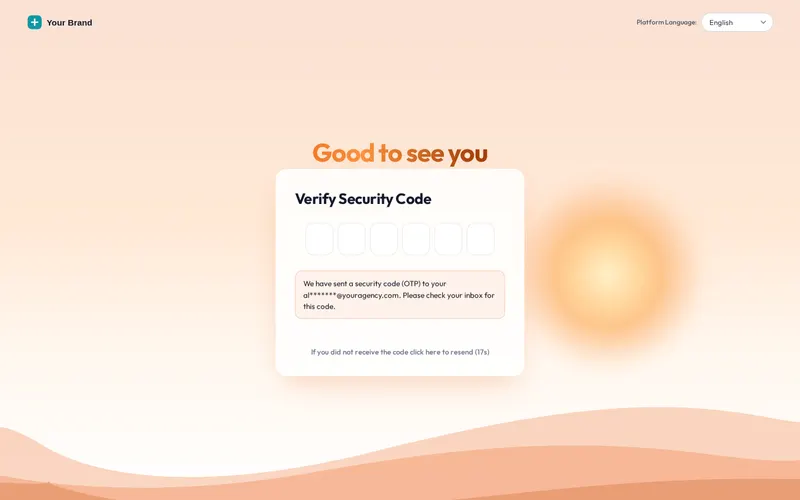
Click a design, then switch the screen to the two-factor code or the password reset. Use the phone button to see how it adapts. Sunrise hills is our default: it suits a lender’s “new beginnings” story without shouting.
Loading the live preview
Sunrise hills. This is the CSS that ships to GoHighLevel, applied to a copy of its real login markup. Switch to the two-factor and password reset screens and the design follows.
16 white label GHL login designs
Aurora, Split hero, Cinematic, Editorial, Midnight stars, Neon grid, Prism ring, Gradient mesh, Ocean waves, Minimal glow, Frosted photo, Photo wall, Sunrise hills, Orbit, Light beams, Holographic. Each is animated and built on the real GoHighLevel login markup, not a lookalike page.
Two-factor and reset covered
The journey never drops back to stock: sign-in, the code screen and password reset share the design.
Rotating quotes
Photo designs can rotate short quotes with the author underneath. Real words from real people only.
Your colours and words
The design follows your brand colour; change the headline, button colour, accent and photo.
Built for phones
Designs adapt on small screens, so an LO approving a task from a parking lot sees your brand too.
Who sees your GHL login CSS at work
Loan officers and processors
Everyone who signs in each morning sees your firm first, which quietly reinforces that this is the company system, not a trial tool.
The brokerages you serve
If you run GoHighLevel for mortgage clients, their staff land on your white-label sign-in, under your domain and your name.
Onboarding a new LO
The first login on day one looks finished and on-brand, which matters more than it should when someone is deciding if they joined a serious shop.
- 1 minute
1. Choose a design
Pick one of 16 designs in the Login tab and check it on the sign-in, two-factor and reset screens.
- Your pace
2. Add your touches
Logo style, headline, background photo, button colour and, on photo designs, a few rotating quotes. The preview updates as you type.
- Once
3. Paste one CSS line
Add the @import line to the Custom CSS box in GoHighLevel once. Future changes to the design go live on their own.
Install a branded CRM login with one line
The login CSS line goes in Agency Settings > Company > White Label > Custom CSS, right beside the main install line. You paste it once.
@import url("…your login line from the editor…");
GHL login page questions
GHL Customizer is an independent product sold by Mortgage Snapshot. It is not affiliated with, endorsed by or sponsored by HighLevel Inc.; GoHighLevel and HighLevel are trademarks of their owner. Previews on this page run on copies of GoHighLevel screens with sample data. Mortgage Snapshot is not a lender and nothing here is lending advice.
Yes. GoHighLevel does not run custom scripts before someone signs in, which is why most white-label login pages stay stock. The customizer delivers the login design as one CSS import, which GoHighLevel does load on the login page.
16, all animated: from aurora glow, sunrise hills and ocean waves to orbit, light beams, neon grid and a frosted photo. Each was built for the real GoHighLevel login markup.
Yes. Sign-in, the two-factor code screen and password reset share the same design, so a loan officer resetting a password at 9pm never drops back to a stock screen. Switch between them in the preview above.
Yes. You can change the headline, button colour, background photo and accent, and choose how your logo sits: plain, on a light chip, on a dark chip or on a card.
Designs with a photo panel can rotate short quotes, one line each with the author underneath. Use real words from real people only; never invent borrower testimonials.
Yes. The designs adapt to small screens and keep the photo and quotes where there is room for them. Use the phone button in the preview to check.
In the Custom CSS box under Agency Settings, Company, White Label, next to the Custom JS box where the main install line goes. You paste it once; later changes to the design go live on their own.
It comes with every package, starting at Pre-Approved ($257). All 16 designs are included.
Usually within minutes. Your GHL Customizer account is created automatically after Stripe confirms the payment, and the login (your email plus a temporary password) is emailed to you. The latest it can take is 24 hours, which only happens if the automatic setup fails and the team creates the account by hand.
After sign-in: the theme, the menu and the popups
Make the first screen look like your firm.
All 16 login designs come with Pre-Approved. Pay once, login emailed within minutes (max 24 hours).
Secure Stripe checkout Login emailed within minutes (max 24 hours)