
Introduction
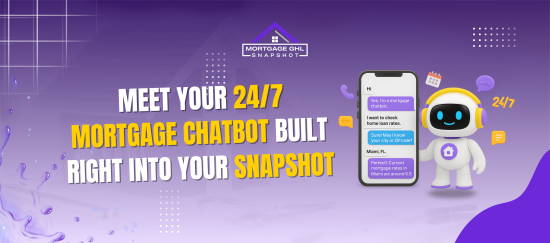
Imagine having a tireless assistant that never sleeps — greeting potential borrowers, answering their questions, qualifying leads, and booking appointments, all without you lifting a finger. That’s the power of a Mortgage Chatbot built directly into your Snapshot setup.
In this article, you’ll discover how this 24/7 chatbot transforms your mortgage workflow, keeps your pipeline full, and ensures prospects never slip through the cracks. We’ll walk through real examples, benefits, setup tips, and answer all your burning questions along the way.
Key Takeaways
- Why a Mortgage Chatbot is essential in modern mortgage marketing
- How embedding the chatbot into your Snapshot ensures instant responses
- Step-by-step how to use it (and integrate it with workflows)
- Best practices, real metrics & case examples
- Answers to common concerns and implementation FAQs
Why Automation Matters in the Mortgage Sales Funnel
The speed and expectation gap
In today’s digital age, web visitors expect instantaneous replies. Waiting hours or worse, days can mean leads go cold. A Mortgage Chatbot that works around the clock closes that gap.
- According to Consumer Finance research, over 98 million Americans interacted with financial institution chatbots in 2022 — about 37% of the U.S. population.
Consumer Financial Protection Bureau - In banking overall, 92% of institutions use AI chatbots for customer service as of 2025.
CoinLaw - Chatbots can handle up to 70% of customer conversations without human intervention.
Why embedding it in your Snapshot matters
Having a standalone chatbot is good — but when your Mortgage Chatbot is seamlessly integrated into your Snapshot:
- Lead data flows directly into your CRM and pipelines
- Automation rules, tagging, follow-ups, and tasks trigger instantly
- No disjointed handoffs or manual data entry
Use cases and real examples
- Answer FAQs (interest rates, loan types, credit score concerns)
- Qualify leads (asking basic income, property type, amount)
- Schedule appointments or consultations
- Collect documentation reminders
- Route qualified prospects into follow-up workflows
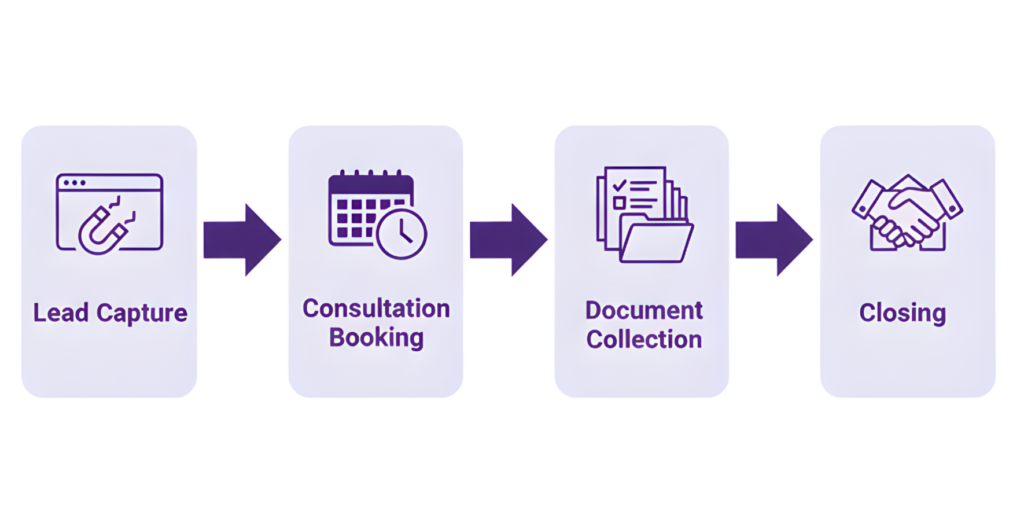
How to Embed & Use the Mortgage Chatbot in Your Snapshot
Here’s a step-by-step guide to bring your 24/7 Mortgage Chatbot to life inside your Snapshot setup.
Define your chatbot persona & conversation map
- Instantly capture leads from forms, calls, SMS, and social media
- Auto-route them to the right pipeline (purchase, refinance, HELOC, etc.)
- Send a welcome text or email within 60 seconds
Sketch a conversation flow. Keep it short (5–8 questions) before offering human handoff or scheduler.
Choose your embedding channels
- Your mortgage website / Snapshot landing pages
- Rate pages or refinance pages
- Social media pages (e.g. via Messenger)
- SMS / chat integrations

Ready to bring your 24/7 Mortgage Chatbot to life?
Get the Mortgage Snapshot today and start closing more loans.
Integrate with Snapshot pipelines & automations
This is where your bot truly unlocks value:
- Whenever a lead interacts, push them into “New Lead” pipeline
- Tag with loan type (purchase, refinance, HELOC)
- Trigger follow-up workflows (emails, SMS, calls)
- Assign tasks to yourself / your team
- Set reminders for document collection or rate lock
Monitor, test, refine
Meanwhile, the AI chatbot works across SMS, web chat, and Facebook/Instagram DMs:
- Track drop-off in the flow where do people leave?
- Review transcripts to train for better responses
- A/B test opening lines, question orders, response tone
- Update flows regularly based on performance
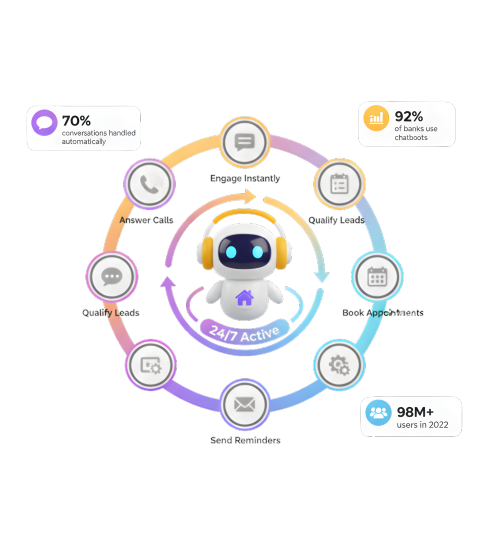
Benefits & Metrics You Can Expect
24/7 responsiveness & lead capture
Higher conversion & qualification rates
Cost savings & efficiency
Faster throughput & process speed
Better user experience
Best Practices & Tips for a Smooth Chatbot Experience
Here are key rules you should follow to make your chatbot feel natural and high-converting:
- Be transparent — let users know they’re talking to a bot
- Use plain language — avoid technical mortgage jargon unless they ask
- Limit questions — don’t overwhelm; break into chunks
- Offer visuals — buttons, quick replies, progress bars
- Fallback options — always offer human handoff
- Obtain consent early — TCPA, SMS opt-in compliance
- Follow regulations — TILA, MAP disclosures, data privacy
- Mobile first — ensure chatbot is responsive and works well on phones
- Iterate regularly — review conversation logs, refine flows
Real-World Example & Case Study
Here’s a fictional but realistic scenario: Mortgage implemented a Mortgage Chatbot inside their Snapshot site.
- Week 1: 500 site visitors, 50 chatted
- Week 4: 200 chatted, 30 booked calls
- Month 2: Chatbot qualified 120 leads, 20 converted to appointments
- Result: They estimate $20,000 additional loan volume from those chatbot leads

Try It Out Risk‑Free
From lead capture to loan closing, the Mortgage Snapshot handles it all.
Frequently Asked Questions
What exactly is a mortgage chatbot?
Does a mortgage chatbot really work 24/7?
How many questions should my chatbot ask?
Is it compliant with mortgage regulations?
Does it integrate with my CRM / Snapshot?
Can it handle voice or only text?
Can I A/B test chatbot flows?
Conclusion
Close More Loans with the Mortgage Snapshot
Stop losing leads to slow follow-ups. Let the Mortgage Snapshot handle it for you.